

FidaScreen Cloud digital signage software for every location
Cloud digital signage for every screen.
Manage content on every screen from one web portal: upload media, build playlists, schedule by time of day, and monitor screen health, with playback that keeps running offline.

Illustration. The screen shows a real capture of the Restaurant Menu template.
FidaScreen is FidaTek's own digital signage platform, designed and built in-house.
Teams upload images, videos, web pages, and RSS feeds, arrange them into playlists, and schedule them across screens and screen groups by time of day. Android players pair with a short code or a QR scan, cache content locally so screens keep playing when the network drops, and report their status so problems surface early.
What's included
The apps and panels that make up FidaScreen.
Web portal
Media, playlists, schedules, screens, users, and alerts, managed from any browser.
Android player
Runs full screen on Android-based displays and media players, with offline caching.
Cloud platform
A multi-tenant back end with real-time updates, role-based access, and monitoring.
Real templates, playing on a real screen.
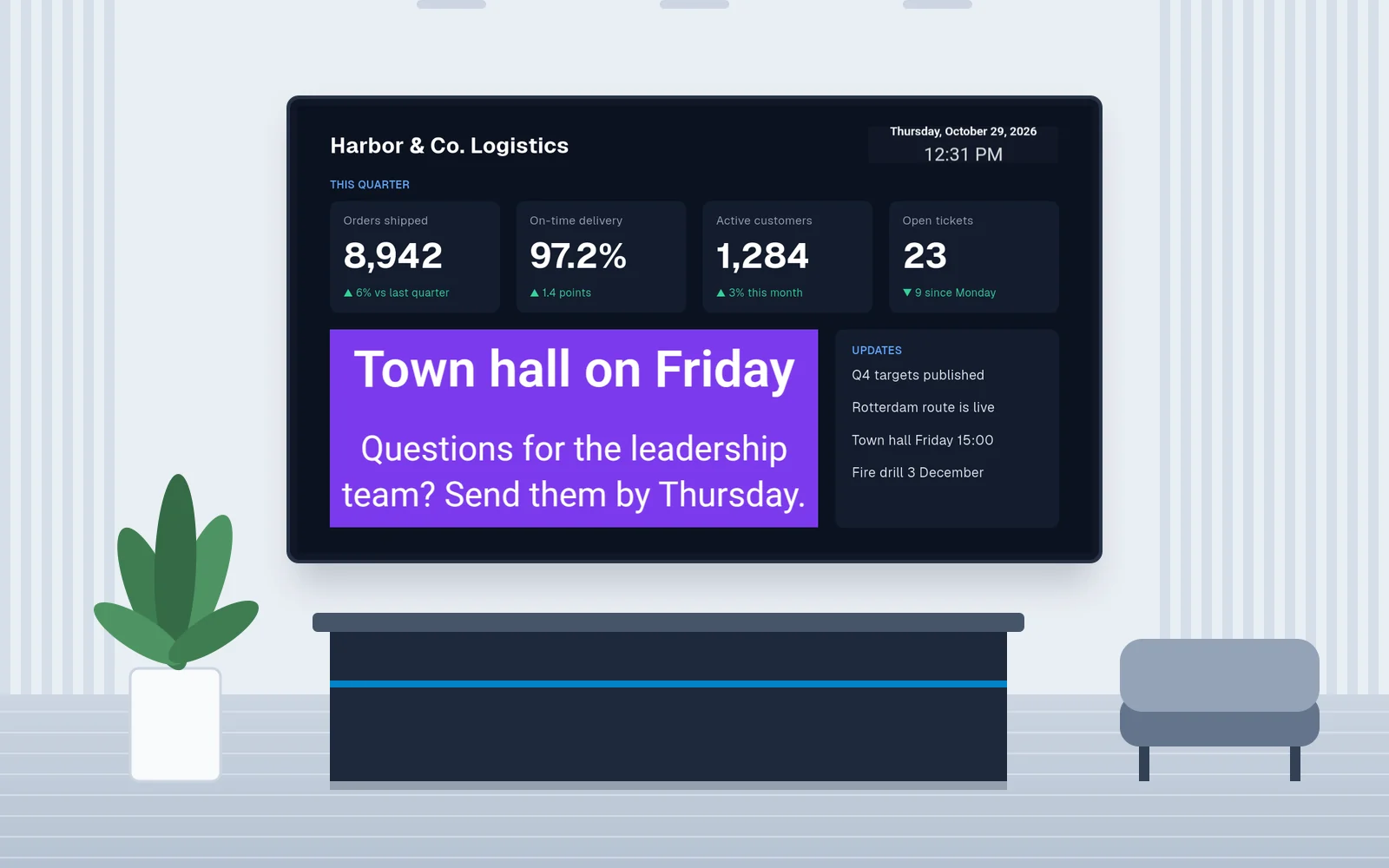
Every screen below was captured from a FidaScreen player on an Android device, playing a built-in template with demo content. The company, prices, figures and news are fictional.
Food and retail
Menus, offers and events
Boards for cafés, restaurants and shops. You change prices, photos and times in the portal and push them to every screen at once.

Captured on a FidaScreen player · Fictional demo content
Restaurant Menu template
Menu board
Two priced columns beside a photo, with opening hours. Each price sits on its item and stays readable from the counter.
Screen 1 of 3
Offices
Dashboards, news and notices
Boards for lobbies, offices and staff areas, with a live clock and date and a zone that plays its own playlist.

Captured on a FidaScreen player · Fictional demo content
KPI Dashboard template
KPI dashboard
Four metric cards, the date and time, an updates panel and a zone that cycles through announcements.
Screen 1 of 3
Key features
Everything FidaScreen gives your team out of the box.
Business outcomes
What FidaScreen changes for your operation.
Update every location from one place.
Change a playlist or schedule once in the web portal and every assigned screen picks it up, without visiting a single site.
Keep screens playing through network outages.
Players cache their content locally and sync when the connection returns, so customers never see a blank screen.
See what played, where, and when.
Playback analytics, live screen status, remote screenshots, and alerts show exactly what is on air.
Built for your sector
See how we tailor FidaScreen to the industries it serves.
How we deliver FidaScreen
Every FidaTek product follows the same four steps, so you know what happens between the first call and go-live.
Discovery and scope
We map your business model, markets, and workflows, and agree what goes into the first release.
Branding and configuration
Your name, logo, colors, languages, currency, payments, and settings, applied across every app and panel.
Launch and publishing
We deploy to production, publish any mobile apps under your own store accounts, and train your team.
Support and updates
Monitoring, security patches, platform updates, and help from the team that set it up.
Plan your FidaScreen launch
What to confirm before requesting a demo or project quote.
Who it fits
For retail, restaurant, healthcare and workplace teams managing screen content across locations from a central web portal.
What shapes the scope and quote
List screen count, Android devices, locations, content formats and network conditions. Confirm FidaTek hosting or your own Windows Server deployment before agreeing the project scope.
What to check in your demo
Pair a player, assign a playlist and schedule content. Ask how cached media behaves during a network outage and review screen status and access permissions.
Explore implementation and support
Choose how you launch FidaScreen
Every plan carries your brand. We confirm scope and pricing after a short call about your requirements.
Managed platform
We host, run and update FidaScreen under your brand, so your team can focus on the business.
Pricing on request
Setup fee plus a monthly plan
- Hosting, updates and security maintenance.
- Your brand on the website and mobile apps.
- Support after launch.
Self-hosted license
Run FidaScreen on your own servers when your data must stay in-house.
Pricing on request
One-time license, optional support plan
- Installed and configured on your infrastructure.
- License agreement for your deployment.
- Optional support and update plan.
Source code ownership
Take ownership of the code to extend FidaScreen with your own team.
Quoted per project
- Available on request for eligible products.
- Code handover and technical walkthrough.
- Custom development by agreement.
In every plan you own your brand, customer data and app-store accounts. Pricing depends on scope; the factors that shape the quote are listed above. Pricing
Frequently asked questions
Common questions about FidaScreen.
What hardware does FidaScreen run on?
What happens if a screen loses its connection?
Can we control who changes content?
Can we host it on our own servers?
Related guides
Practical reading before you request a demo or a quote.
Other products
More ready-to-deploy platforms from FidaTek.






See FidaScreen in action
Book a demo or request pricing, and we'll tailor it to your workflows.